Friday AI
A personal AI assistant that runs 100% on my own laptop: a local language model through Ollama, wrapped in a calm desktop app.
- Role
- Designer & developer
- Timeline
- Personal project
- Year
- 2026
- Category
- AI & Desktop App
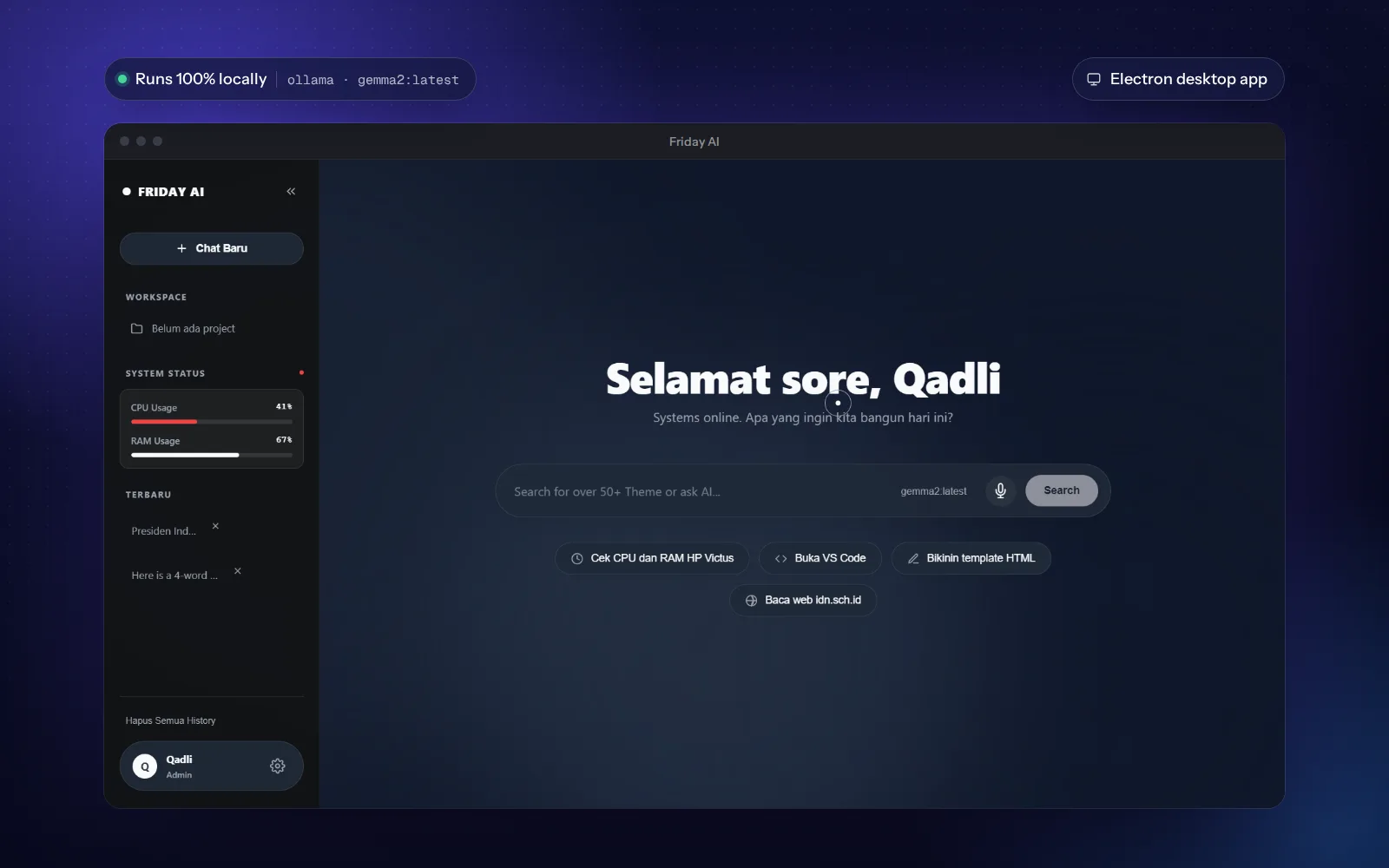
Friday AI is my own desktop assistant. Everything runs on my laptop: the app, the chats and the language model itself. There’s no cloud service in between, so it works without an account and the conversations stay on the device.
- runs locally on my laptop
- 100%
- cloud AI services
- 0
- open model, served by Ollama
- Gemma 2
What it does
Friday opens to a single prompt bar and a greeting that changes with the time of day. From there I can start a new chat, talk to it with the microphone, or pick one of the quick actions.
- Chat with a local language model, with recent chats saved in the sidebar
- Quick actions to check CPU and RAM, open VS Code, draft an HTML template or read a web page
- Voice input from the microphone button
- Live CPU and RAM meters, so I can see how hard the model is working the laptop
How it works
The app is built with Electron, so the interface is HTML, CSS and JavaScript running in a native desktop window. Ollama runs the Gemma 2 model on the same laptop, and the app sends each message to it locally. Nothing goes to a cloud API.
The prompt bar always shows which model is answering (gemma2:latest), so it’s clear what’s running behind the conversation.
Interface
I kept the interface dark and quiet so long chats are easy on the eyes. The sidebar holds everything that isn’t the conversation (new chat, workspace, system status and history), and it collapses when I want more space.
- A greeting that follows the time of day, like “Selamat sore, Qadli”
- One rounded prompt bar with the model name, microphone and Search button
- History clean-up: delete one chat, or all of them at once